

Stop buying the same card ten times.
Own one copy of each card. Mark its sleeve with a stripe for every deck the card belongs to. Fan, pull, play.
How It Works

Import Your Decks
Paste a deck URL from Moxfield or Archidekt. You can also type a list by hand. PRISM gives each deck one color and one slot. A single PRISM holds up to 48 decks, or 96 with dot splits.
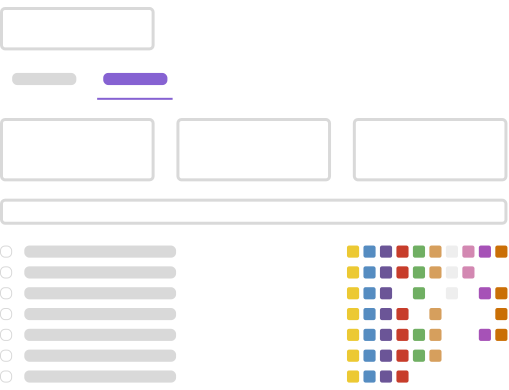
Find Your Pool Copies
A copy that two or more decks use is Pool. PRISM finds every one of them, so one Sol Ring is all you need.

Mark Your Sleeves
Use paint pens and the Spirit Guide alignment tool to mark the visible edge of each sleeve. Mark the Perfect Fit inner, never the outer sleeve. Double-sleeving is required. The outer sleeve protects the mark.
The Kickstarter Campaign
The Kickstarter campaign brings the Spirit Guide, the alignment tool this marking system is built around, along with matching sleeves, tokens and playmats. Backing it includes a lifetime PRISM Membership, attached after the campaign closes from the email you give in the backer survey. PRISM itself stays free to use, with no account.
One Box Instead of Five
Save storage space at home, and travel with fewer cards, but more decks. Five decks that each needed their own copies become one box of marked sleeves.
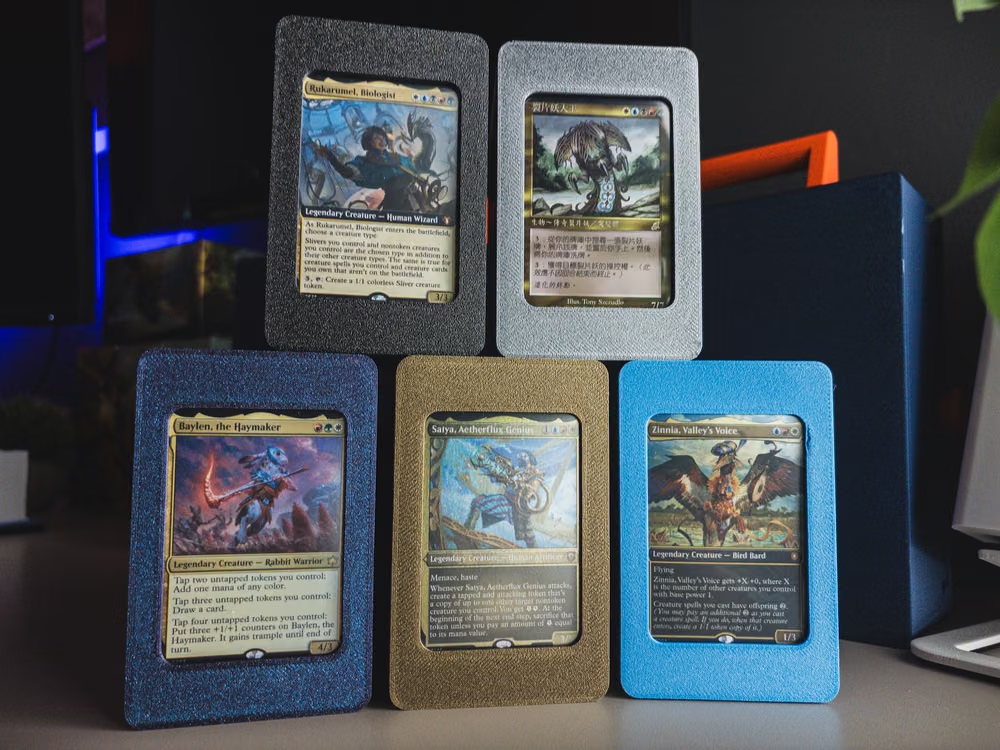
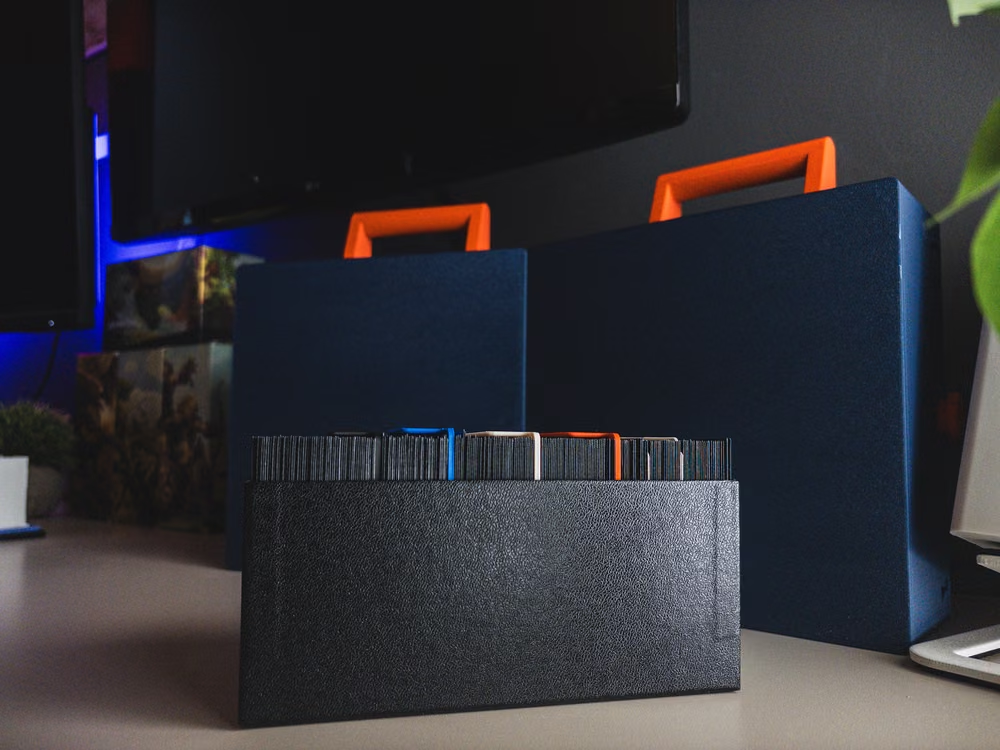
Drag the divider to see five decks in deck boxes, or five decks PRISM'd in one box
Duplicates You Free Up
Every deck you add overlaps the decks you already own. Those overlaps are copies you stop needing, and copies you can sell.
| Collection | Duplicates freed | Resale value |
|---|---|---|
| 5 decks | 166 cards | ~$919 |
| 10 decks | 358 cards | ~$1,637 |
| 48 decks | 2,295 cards | ~$9,680 |
Based on average EDHREC decklists for top commanders. Your collection will differ.
Support your local game store, or use the affiliate link above to help cover hosting costs.
Features
Deck Variants
Run one commander shell with several themes. Mark the copies every variant uses once, then mark each variant on its own. PRISM tracks the shell and its variants as one group.
Track Changes
Add a new deck later and PRISM shows what changed. You mark only the new cards. You do not re-mark hundreds of sleeves.
Export Anywhere
Use the web app here, or download your marking guide as CSV, JSON, or a printable reference.
Auto-Save
PRISM saves your work in your browser. Return at any time to update or export it. Login to sync across multiple devices.
Your collection, organized.
Stop buying duplicates. Share one copy across every deck.
Frequently Asked Questions
Use fine-tip acrylic paint pens. They work on most sleeves. PRISM defaults to colors that match standard paint pen sets. The Tools page lists specific products.
Sell them. After you mark your sleeves, you need only one copy of each card. Your duplicates become trade fodder or cash. Many players cover the cost of their marking supplies this way. Support your local game store, or ship the pile to Card Conduit instead of listing singles one at a time. That is an affiliate link, and it helps cover hosting costs.
PRISM is local-first. Your decks and marks stay in your browser and work without an account. If you create an account, PRISM also syncs your data to our database so you can use it across devices. We use aggregate analytics that do not identify you. The Privacy Policy has the details. You can export your data as JSON at any time.
Yes. On each deck card, select Move to open the slot picker. To reorder several decks at once, use the dropdown list on the Export tab. Group your decks by color identity, or put your most-played decks in the slots that are easiest to see.
Yes. MTR 3.12 defines a card as marked if the marking lets a player identify it without seeing its face. Sleeve edge marks add no noticeable thickness and do not change the card's profile in the deck. If you must look from a specific angle to see the mark, the card is not marked under the rule.